
R34 Gtt after market audio speakers what you all using in yours looking for recommendations

Announcements
-
Similar Content
-
-
Latest Posts
-
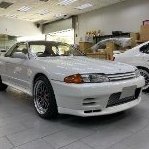 Hi all, other than coil overs - anyone running rear sway bars and other suspension upgrades? what does everyone recommend to improve the car handling? How about control bar upgrades etc. photo from vspec performance. thanks
 -
 Def happens. Happened to mine too. Have pics to prove. Super picky, I noticed the OP slowly dropping.
 -
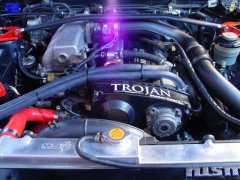
 I've never seen this on a factory built RB26 have the screws come out, or gears break for that fact. Only once someone has touched the motor have I heard / seen it. I've seen a few factory built Rb25's shatter gears but we talking high mileage extreme beating at drift track, constant limiter for a full season. Well outside what it was built for.
 -
Over the moon in fact. Engine is coming out to put on a new enlarged sump. I planned on putting on either a new pump(Tomei / Nitto) or billet gears. But a bit of waste of time if the crank has narrow collar. Things spiral quickly, if crank is out, new bearings ... maybe new rods and pistons ... wait just rebuild the engine... oh but I should get an N1 block .... 40k later .... haha.
-
 I think he's just happy that the crank doesn't have to come out of the engine in order to have a good (read reliable) oil pump.
-


Recommended Posts
Create an account or sign in to comment
You need to be a member in order to leave a comment
Create an account
Sign up for a new account in our community. It's easy!
Register a new accountSign in
Already have an account? Sign in here.
Sign In Now