

Announcements
-
Latest Posts
-
 If this was an industrial application (and more so, an equipment/health safety thing) then I'd be mooting a 2 out of 3 voting system. You have 3x sensors, expect and want all 3 of them to agree, but in the event of disagreement of one of them, you use the agreed value of the other 2. And raise a fault. This then places the common failure mode on whatever linkage you have connecting the 3 sensors to the thing that moves, but some common sense can be applied to make that similarly redundant, space being available, of course.
 -
 Oh righto, Brad is always banging on about the gear pos sensor and how critical it is. Better than rusty actuator like a holinger
 -
Dunno. Seeing as you can get something essentially the same, brand new, for the same moneys? https://www.supercheapauto.com.au/p/motorkool-external-trans-oil-cooler/SPO442465.html#q=oil%2Bcooler&lang=en_AU&start=49
-

-
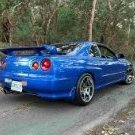 Hey @Rich-K What time are you planning on meeting at Ourimbah RSL? Might be able to add a stop in the SAU Old Pac Cruise to join up together for the rest of the drive up, depending on times. Thanks
-
Recommended Posts
Create an account or sign in to comment
You need to be a member in order to leave a comment
Create an account
Sign up for a new account in our community. It's easy!
Register a new accountSign in
Already have an account? Sign in here.
Sign In Now