

Announcements
-
Similar Content
-
-
Latest Posts
-
 I don't know it is due to that. It could just be due to load on track being more than a dyno. But it would be nice to rule it out. We're talking a fraction of a second of pulling ~1 degree of timing. So it's not a lot, but I'd rather it be 0... Thicker oil isn't really a "bandaid" if it's oil that is going to run at 125C, is it? It will be thicker at 100 and thus at 125, where the 40 weight may not be as thick as one may like for that use. I already have a big pump that has been ported. They (They in this instance being the guy that built my heads) port them so they flow more at lower RPM but have a bypass spring that I believe is ~70psi. I have seen 70psi of oil pressure up top in the past, before I knew I had this leak. I have a 25 row oil cooler that takes up all the space in the driver side guard. It is interesting that GM themselves recommend 0-30 oil for their Vette applications. Unless you take it to the track where the official word is to put 20-50w oil in there, then take that back out after your track day is done and return to 0-30.
 -
 Nice, looks great. Nice work getting the factory parts also. Never know when you'll need them.
 -
 Thanks @jtha7 I will have a look around tomorrow but it is a prick of a spot. These are some photos i tried taking
 -
 I take it that the knock retard is from bearings tapping a little tune? Thicker oil is a fragile bandaid. You need a much bigger oil cooler and probably the bigger pump being discussed.
 -
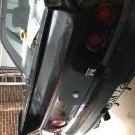 Hi @Chupapy i had several leaks from coolant pipes being corroded, i also had one leak on back of the head onto transmission. For me that leak was from the turbo water line. Follow the line to the back of the head The hose and metal pipe had perished these are the best pics I took of it at the time
-


Recommended Posts
Create an account or sign in to comment
You need to be a member in order to leave a comment
Create an account
Sign up for a new account in our community. It's easy!
Register a new accountSign in
Already have an account? Sign in here.
Sign In Now