
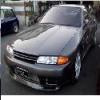
Buying An R34 - Things To Look For
Announcements
-
Similar Content
-
-
Latest Posts
-
 Hi Folks, my 2009 Skyline 370GT “Crossover” wagon is losing water and has been diagnosed as needing a water pump replacement (it’s an internal timing-chain driven unit, not the usual electric type that seems to be used across many manufacturers). Am looking for any repairer recommendations in the Sydney /Wollongong region who can be trusted and are experienced in this sort of work on the VQ 36 engine. Many thanks….Bill
 -
 While all of the above makes sense, we're not talking about some Ling Long calipers of AliExpress; Alcon would have to be one of the top 5 caliper suppliers in the world and these are not their budget units. If there were manufacturing defects in the caliper causing this issue I'd be very disappointed. Having re-watched the video a few times I think it's dog bone/mount related. The caliper moves independently to the rest of the suspension and brake assembly which suggests to me that it's not mounted rigidly. I know this sounds stupid, but have you got enough thread on the retaining bolts or are they a poofteenth too long and it's not super tight? For axial movement to be occurring without deforming the caliper that can be the only answer.
 -
 Extra torque will wear it out. The clutches won't be to the same spec as those on the turbo box, and the shift speeds possibly won't suit handling more torque either. Autos in R34s are a nightmare. 8HP conversion is the only sensible option.
 -
Again, who are you asking? This is not a sale thread.
-
Who are you asking? This is not a vendor thread. It is a dead, 9 year old group buy thread.
-





Recommended Posts
Create an account or sign in to comment
You need to be a member in order to leave a comment
Create an account
Sign up for a new account in our community. It's easy!
Register a new accountSign in
Already have an account? Sign in here.
Sign In Now