Skip to content
View in the app

A better way to browse. Learn more.

SAU Community

A full-screen app on your home screen with push notifications, badges and more.

To install this app on iOS and iPadOS
  1. Tap the Share icon in Safari
  2. Scroll the menu and tap Add to Home Screen.
  3. Tap Add in the top-right corner.
To install this app on Android
  1. Tap the 3-dot menu (⋮) in the top-right corner of the browser.
  2. Tap Add to Home screen or Install app.
  3. Confirm by tapping Install.

-nismo R34- Ooskylineoo

Featured Replies

Make: NISSAN

Model:SKYLINE R34 25GT-T

Milage: 100,000

Transmission: Manual

Colour: Red

Location: Western Suburbs

Complied? Indeed

RWC supplied? If Needed

Currently registered? Indeed

Price: 24,000 (very negotiable on price)

Contact: 0423850105 (my 2nd number)

Comments / Modifications:

DESCRIPTION

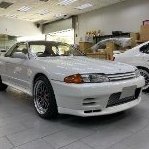
Stock Standard R34 Skyline 25GT-T, full factory-fitted NISMO Body kit and moon roof features a 2.5L turbocharged straight 6 cylinder engine with variable inlet cam phasing (RB25DET Neo), 5 speed manual transmission, viscous limited slip differential, traction control (on/off), K&N POD filter fitted but factory air intake/box included. Running stock boost, drives like a dream, no mechanical problems and an excellent example of a well maintained R34. Perfect if your sick of older model skylines but still want the roar. Plans for this car fell through after i decided i wanted a 350z (i know) Perfect blank canvas, this car was a personal import, didnt go through any import yards, first australian owner, took about 9 months of the relos searching around in japan before i settled for this so it was not an impulse buy!

Images:

post-22208-1211270347_thumb.jpg

post-22208-1211270350_thumb.jpg

post-22208-1211270351_thumb.jpg

post-22208-1211270353_thumb.jpg

post-22208-1211270364_thumb.jpg

post-22208-1211270365_thumb.jpg

post-22208-1211270402_thumb.jpg

post-22208-1211270411_thumb.jpg

post-22208-1211270420_thumb.jpg

post-22208-1211270515_thumb.jpg

Create an account or sign in to comment

Account

Navigation

Search

Search

Configure browser push notifications

Chrome (Android)
  1. Tap the lock icon next to the address bar.
  2. Tap Permissions → Notifications.
  3. Adjust your preference.
Chrome (Desktop)
  1. Click the padlock icon in the address bar.
  2. Select Site settings.
  3. Find Notifications and adjust your preference.