

Announcements
-
Similar Content
-
-
Latest Posts
-
 Yeah I understand what you mean, but the LS swaps I've seen done to r33s (admittedly to drift cars). You have to hammer out the transmission tunnel to fit the t56/tr6060, cut and box the drifters side firewall for head clearance. All stuff that's not terrible, but don't want to do to my cleanish gtst. I've decided to buy the NEO and rebuild it, maybe best of both options lol.
 -
 What if I told you it fit easier than the RB...... Realistically it's a lot of work, but suprisingly similar IF you didn't have a R33 with literally all of the supporting accessories and electronics and manifolds and cooling ready to go. If you had literally a bare engine bay and no transmission, it'd be an apt comparison to make. If you just want to make 280-300kw all day just rebuild the RB and get a modern turbo and enjoy life.
 -
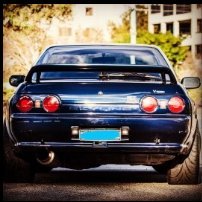 Fair call there.. Apologies UWISSH! My bad was taken in wrong context as I only stated what was in paper same words on the list of Mods. I wished has said has 5Speed short shift gearbox.
 -
The complexities involved with getting a v8 swap done, and the sacrifices for clearance etc not worth it imo unless its a drift car or similar.
-

By joshuaho96 · Posted
This is exactly what I was thinking, I just wasn't expecting whatever that hackjob was. Skyline owners never disappoint.
-




Recommended Posts
Create an account or sign in to comment
You need to be a member in order to leave a comment
Create an account
Sign up for a new account in our community. It's easy!
Register a new accountSign in
Already have an account? Sign in here.
Sign In Now